SHIFT
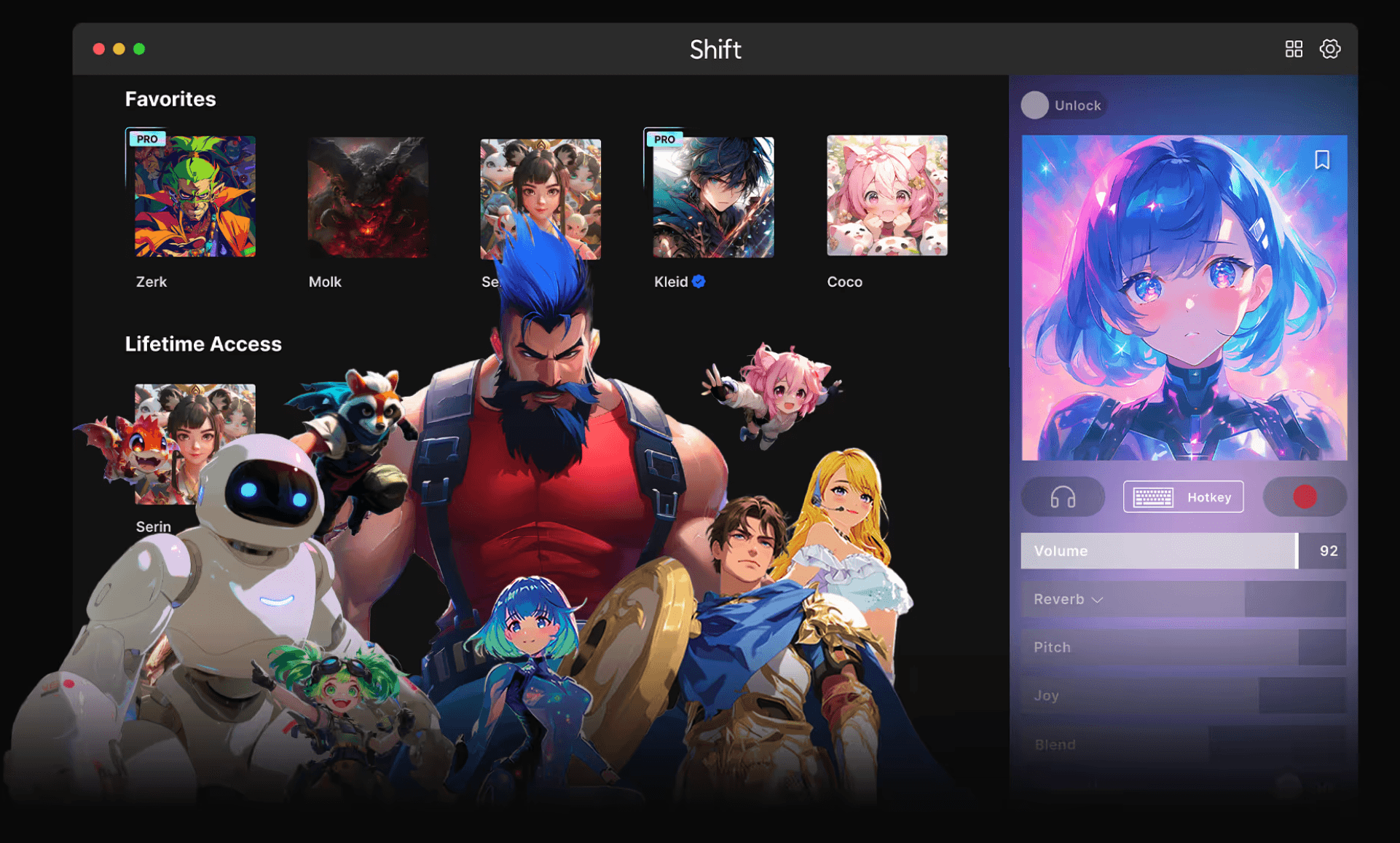
SHIFT is a real-time AI voice changer for streamers, gamers, and VTubers. The core bet: get a first-time user from install to their first converted voice in under a minute, while giving creators confident control over live quality. In v2.0 I led five areas — onboarding calibration, a voice-card library, low-latency live controls, mic/routing guidance, and clear credit & license visibility.
- Year
- 2023 - Present
- Role
- Product Designer
@Supertone AI
The Core Challenge
A real-time voice changer has to hit low latency + high quality + simple setup all at once. Beginners stall on mic input and OS audio routing; advanced users churn when fine control is missing. Holding all three without dropping one is the whole problem.
- Immediacy — cut install→setup→use time to under 1 minute
- Stable live quality — minimize clipping, audible latency, and noise issues
- Scalable exploration — navigate and save from 100+ voices/effects
- Friendly interoperability — smooth flows with Discord/OBS/games

Problem Statements
- Onboarding breakdown — mic input/gain, monitoring, and virtual routing confuse new users.
- Voice-selection friction — picking from 100+ voices by name alone is hard; preview and switching must feel instant.
- Fragmented live control — pitch/formant/dry-wet/effects lived across separate UI contexts, forcing constant context-switching.
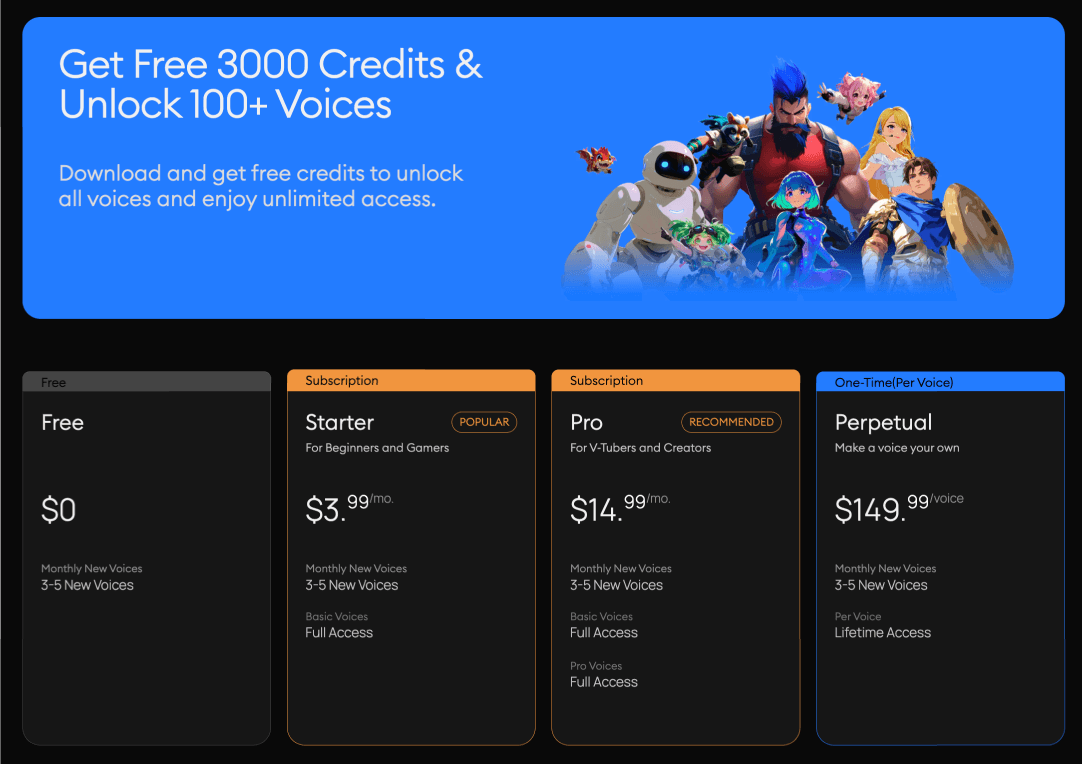
- Credit/license ambiguity — users confused free credits, paid plans, and Perpetual (owned) voices.
Solution Strategy (Principles)
- One screen, one task — onboarding flows calibration → routing → first voice as a single path.
- Sound-first feedback — every control has instant preview, A/B toggle, and Undo.
- Control proximity — core controls (Pitch / Formant / Dry–Wet) stay anchored beside the voice card.
- Lightweight metaphors — "character card," "preset," "favorites" to lower the cost of exploring.
- Safety & responsibility — clear broadcast/call disclosures, anti-abuse guidance, and a one-click "back to my voice."
Key Design Deliverables
- 1) Onboarding CalibrationAuto-detect mic/sample-rate with a guided gain "sweet spot," feedback auto-mute, and one-click routing presets for Discord/OBS/games; onboarding ends straight at the voice grid for instant first conversion.
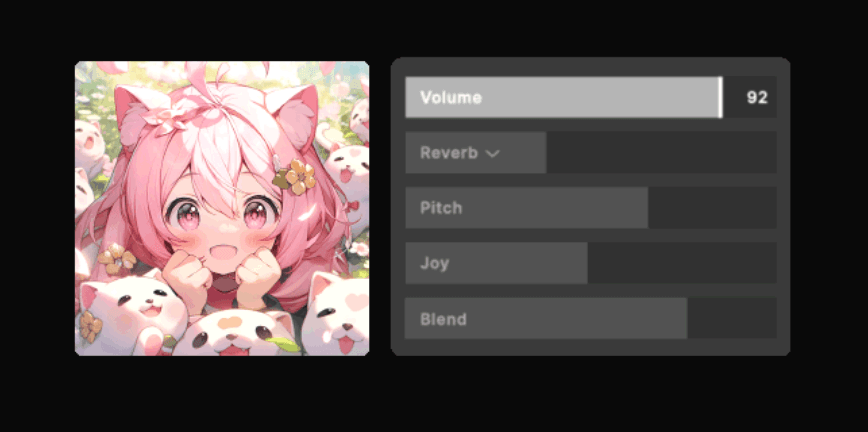
- 2) Voice Card LibraryGrid with genre/mood/character tags + search, hover preview with no-lag apply, and savable voice+control presets.
- 3) Live Controls (Low‑Latency Mode)Pitch / Formant / Dry–Wet / FX anchored beside the active card, with per-voice safe ranges and keybindings for swap/mute/monitoring.
- 4) Mic / Audio Routing GuideA top banner flags no-input/clipping/sample-rate mismatch, an in-app test call verifies the signal path, and per-app checklists cover Discord/OBS/games.
- 5) Credit & Plan VisibilityAlways-on header badges for remaining credits and plan, plus a compare modal explaining free credits, Pro voices, and Perpetual ownership.
Impact
- Faster first success — reduced time-to-first-voice from ~1.5 min to under 1 min in onboarding tests, meeting the core "under a minute" goal.
- Smoother onboarding — onboarding completion rose by ~12 points (≈68% → ~80%) after the guided calibration flow.
- Fewer setup headaches — setup/routing-related support tickets dropped ~20%.
- Healthier conversion — free→paid conversion improved by ~5% with always-visible credits and the plan-compare modal.
- Stickier exploration — about a third of active users saved at least one preset or favorite, raising repeat use of the voice library.